
A laptop reaches the end of its useful life long before it stops turning on. It may no longer receive security updates, run required applications reliably, or support the employee depending on it. IT asset lifecycle management gives businesses a disciplined way to address those risks before they become downtime, overspending, or a security incident.
For growing organizations, technology purchases can easily become reactive. A device fails, a new employee starts, software renewals arrive, or a compliance question exposes a gap in documentation. A lifecycle approach replaces those surprises with clear standards, ownership, and a plan for every asset from purchase through retirement.
What IT Asset Lifecycle Management Covers
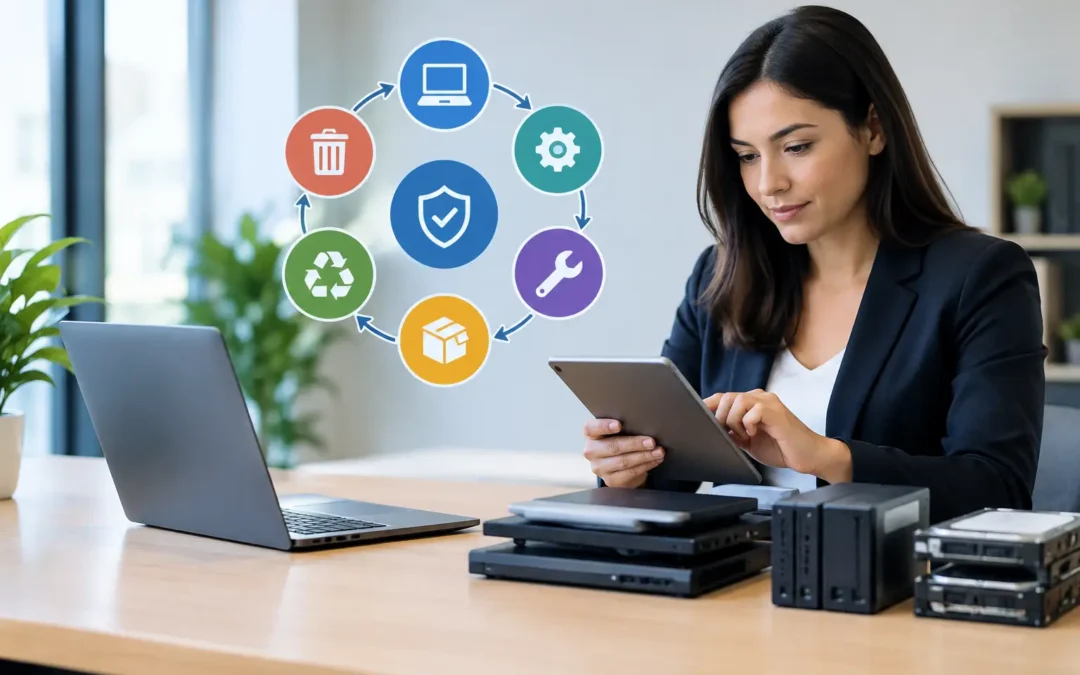
IT asset lifecycle management is the process of planning, purchasing, deploying, maintaining, monitoring, refreshing, and securely retiring the technology your organization relies on. That includes laptops, desktops, servers, network equipment, mobile devices, software licenses, cloud subscriptions, printers, and other connected infrastructure.
The goal is not simply to keep an inventory list. A useful program connects each asset to a business purpose, a responsible user or department, support requirements, security controls, warranty status, and replacement timeline. When leaders can see the full picture, they can make better decisions about budget, risk, and operational priorities.
For a 15-person office, that may mean standardizing laptops and tracking software renewals. For a healthcare practice, engineering firm, financial organization, or company with multiple locations, it may also involve device encryption, access controls, network hardware records, regulatory requirements, and documented disposal procedures. The right level of process depends on the business, but every organization benefits from knowing what it owns and what condition it is in.
The Lifecycle Stages That Protect Your Business
Plan around business needs, not a shopping list
Effective management starts before a purchase order is approved. Technology should be selected based on how people work, which applications they need, expected growth, security requirements, and the cost to support the device over time.
For example, the lowest-priced laptop may appear to save money, but it can create higher costs if it has a short warranty, struggles with business applications, or cannot support current security standards. Standardized hardware models are often easier to configure, troubleshoot, replace, and secure. Exceptions can make sense for specialized roles, but they should be intentional rather than accidental.
Planning should also include a refresh schedule. Many businesses budget for equipment only after it fails. That approach may work for a nonessential printer, but it is a costly strategy for workstations, firewalls, servers, and network switches that support daily operations.
Procure with visibility and accountability
When purchases occur through multiple departments, company-owned equipment can become difficult to track. Employees may use personally purchased software, managers may order devices outside the standard process, and invoices may not make it into an asset record.
A controlled procurement process establishes approved vendors, hardware standards, software approval requirements, and a record of the purchase date, warranty, serial number, assigned user, and expected replacement date. It also reduces the chance of duplicate software spending or unapproved tools creating security exposure.
This is especially valuable when a business is growing quickly. A documented process makes it easier to provide new hires with the equipment and access they need without creating a different setup for every person.
Deploy devices consistently
A new device should arrive ready for productive, secure work. That means installing approved applications, applying current updates, enabling endpoint protection, configuring encryption, setting up backup or cloud access where appropriate, and assigning the device to the correct employee.
Consistent deployment reduces support requests and limits configuration drift. If every laptop is set up differently, routine troubleshooting becomes slower and security controls can be missed. A standard deployment process also helps organizations respond faster when an employee changes roles, works remotely, or needs a replacement device.
Maintain and monitor throughout useful life
Assets need attention after deployment. Operating systems and applications require updates. Warranties expire. Storage fills up. Batteries degrade. Software licenses change. A device that worked well at the start of the year may become a liability by year-end if it falls behind on patches or can no longer meet performance needs.
Monitoring and regular maintenance allow IT teams to identify issues early. That may include tracking aging devices, reviewing unsupported operating systems, confirming antivirus coverage, checking backup status, and watching for software that is no longer being used. The purpose is to reduce disruption, not create administrative work for its own sake.
Refresh and retire securely
Replacement decisions should be based on risk, performance, supportability, and total cost, not just age. Some equipment can serve reliably beyond a typical refresh cycle. Other equipment should be replaced sooner because it runs critical workloads, lacks vendor support, or no longer meets security requirements.
Retirement is also a security event. Before equipment is donated, recycled, returned, or reassigned, business data must be securely removed. User accounts, licenses, mobile device access, saved passwords, and encryption keys may all need attention. Simply deleting files or handing off an old laptop is not an adequate disposal process.
Why Lifecycle Management Improves Security
Unmanaged assets create blind spots. If a business does not know every device, application, and subscription in use, it cannot confidently protect them. An unpatched laptop in a storage closet, a former employee’s active software account, or an expired firewall subscription can become an opening for attackers.
A well-managed lifecycle program supports cybersecurity by keeping an accurate inventory, identifying unsupported technology, documenting ownership, and making offboarding more reliable. It also supports incident response. When a device is lost or compromised, the business can quickly determine who used it, what controls were applied, and whether sensitive data may be involved.
This matters across every industry, but it carries added weight for organizations handling client records, financial data, protected health information, legal documents, or government-related information. Security is not a separate task performed after technology is purchased. It should influence every stage of the lifecycle.
Turn Asset Data Into Better Technology Decisions
The most valuable asset records answer practical questions: Which devices are approaching replacement? What software is renewing next quarter? Which employees have administrative access? Are we paying for licenses no one uses? What equipment supports a critical business function?
When those answers are current, IT spending becomes easier to forecast. Rather than absorbing several unexpected replacements at once, leaders can spread purchases across a planned schedule. They can also evaluate whether a cloud subscription, hardware upgrade, or managed service investment will deliver measurable value.
Asset data should be reviewed alongside business plans. Opening an office, hiring a new team, supporting hybrid work, acquiring another company, or adopting a new line-of-business application can all change technology requirements. The asset plan should change with them.
When Outside IT Support Makes Sense
Smaller organizations often assign asset tracking to an office manager, internal technician, or department leader. That can work when the environment is simple and the process is consistently maintained. As the company grows, however, this responsibility can become too broad for one person to manage while also handling daily support needs.
A managed IT partner can provide the structure, documentation, monitoring, and strategic guidance needed to keep the lifecycle moving. For Central Florida businesses, having a responsive local partner can be particularly helpful when a device rollout, office move, network upgrade, or urgent replacement requires hands-on support.
The right partner will not push a replacement simply because a calendar says it is time. They will assess the business impact, support status, performance needs, and security exposure, then recommend a practical path forward.
Start with a current inventory and an honest assessment of what is aging, unsupported, unassigned, or unknown. From there, even a simple lifecycle plan can turn technology from a recurring source of stress into a managed business investment.