
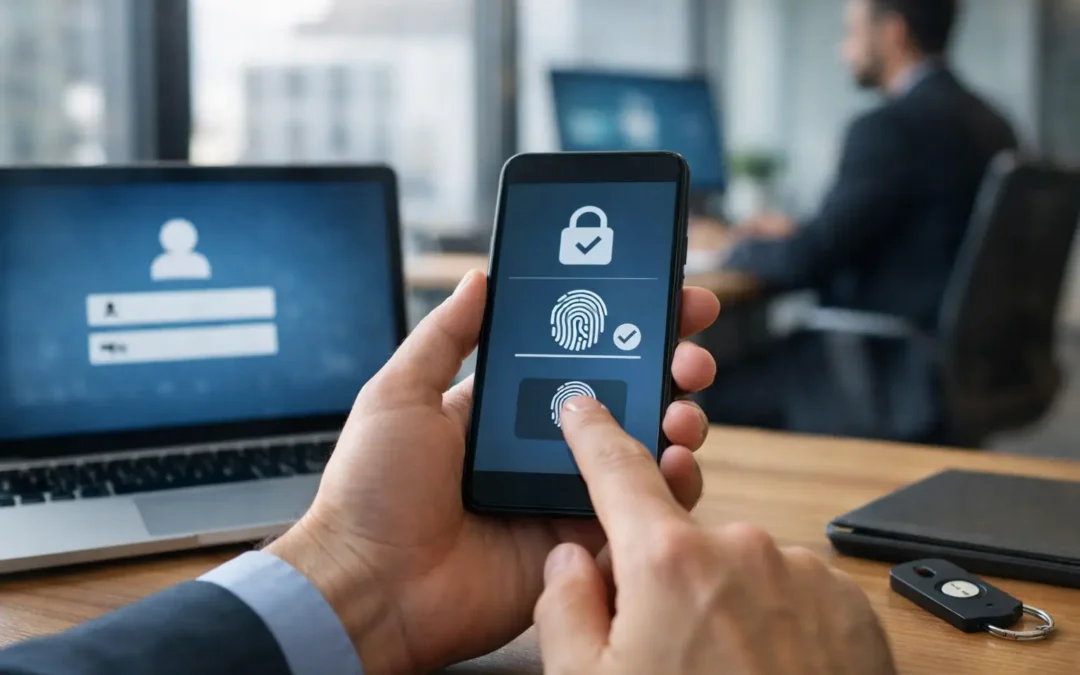
A fraudulent email does not need to defeat your firewall if it can convince one employee to enter a password on a convincing sign-in page. Once that password is captured, an attacker may have access to email, cloud files, financial systems, customer information, and internal conversations. That is why businesses need MFA protection: it adds a critical verification step between a stolen password and a costly account takeover.
For small and mid-sized organizations, the consequences are rarely limited to one inbox. A compromised Microsoft 365 or Google Workspace account can be used to send believable messages to vendors, alter payment instructions, request payroll changes, or spread malicious links across the company. Multifactor authentication, commonly called MFA, is one of the most practical controls a business can put in place to reduce that risk.
Why Businesses Need MFA Protection Beyond Passwords
Passwords remain necessary, but they are not enough on their own. Employees reuse passwords, choose predictable variations, or unknowingly enter credentials into phishing sites. Even a long and carefully managed password can be exposed through a breached third party, a compromised personal device, malware, or an impersonation scam.
MFA requires a user to prove their identity with more than one factor. In most business environments, that means something the user knows, such as a password, plus something they have, such as an authentication app, security key, or approved device. If a criminal has only the password, they should still be unable to complete the login.
This matters because identity has become the front door to business systems. Cloud email, remote access, file sharing, accounting platforms, customer relationship management tools, and line-of-business applications are designed to be reachable from anywhere. That accessibility supports flexible work and faster operations, but it also makes strong sign-in controls essential.
MFA will not eliminate every cyber risk. An attacker can still exploit an unpatched system, trick a user into approving a fraudulent prompt, or target a poorly protected administrator account. But it greatly reduces the value of a stolen password, which remains one of the most common paths into business environments.
The Business Damage From a Single Compromised Account
Account compromise creates operational problems before it becomes a headline-making breach. Employees lose access to the tools they need. IT teams must investigate logins, reset credentials, review mail forwarding rules, and determine whether sensitive files were accessed. Vendors and clients may need to be notified if fraudulent emails were sent from a trusted company address.
For a financial firm, law office, healthcare provider, or government-related organization, the stakes can be even higher. Email accounts often contain confidential records, transaction details, legal communications, patient information, or regulated data. A successful login may give an attacker enough context to conduct more convincing fraud or move deeper into the network.
Business email compromise is especially damaging because it relies on trust rather than obvious technical failure. A criminal who takes over an executive’s account can study communication patterns, wait for an invoice discussion, and send a realistic request to change banking information. MFA makes that initial takeover substantially harder.
The cost is also measured in lost time. Leadership attention shifts from serving customers and managing growth to answering questions about what happened, which data was exposed, and whether payments or communications were affected. Security controls that prevent a disruptive event are often far less expensive than the interruption that follows one.
MFA Protects the Systems People Use Every Day
MFA should not be treated as a one-time setting applied only to email. It should be part of a wider access strategy that protects the applications where a compromised account would cause meaningful harm. Priorities usually include cloud email, file storage, virtual private networks, remote desktop tools, accounting and payroll systems, administrative portals, and password managers.
Administrative accounts deserve particular attention. These accounts can create users, change security settings, access large volumes of data, or disable protections. Requiring strong MFA for administrators is a baseline safeguard, not an optional enhancement.
Organizations should also consider shared accounts. A shared login may seem convenient for a front desk, operations team, or vendor relationship, but it weakens accountability and complicates MFA. Where possible, provide individual accounts with appropriate permissions so activity can be traced to a specific user and access can be removed when roles change.
Not All MFA Methods Offer the Same Protection
Authentication apps are generally more secure than text-message codes because text messages can be intercepted through SIM-swapping attacks or redirected when a phone number is compromised. Security keys and passkeys can offer stronger protection against phishing because they are tied to the legitimate website or service.
That does not mean every organization must replace its current process overnight. The right approach depends on the systems in use, the sensitivity of the data, employee work patterns, compliance requirements, and budget. For many businesses, authenticator apps are a practical starting point. For privileged users, executives, finance personnel, and highly regulated environments, phishing-resistant methods should be strongly considered.
Push notifications also require training. Employees should never approve an unexpected sign-in request simply to make a prompt disappear. Repeated prompts may indicate an attacker is attempting to wear down the user, a tactic often called MFA fatigue. Employees need a clear process for reporting suspicious prompts quickly.
How to Introduce MFA Without Disrupting Work
The most successful MFA rollouts are planned as business changes, not just technical projects. If users receive an unexplained prompt on a busy Monday morning, help desk calls and frustration will follow. If they understand why the change is happening, which app to install, and where to get help, adoption is much smoother.
Start by identifying every application that supports MFA and ranking it by risk. Email and administrator access should be near the top of the list, followed by systems that contain financial, client, employee, or operational information. Then set a reasonable enforcement schedule rather than leaving MFA optional indefinitely.
A practical rollout usually includes four elements:
- Clear employee communication that explains the security reason and the enrollment deadline.
- A supported enrollment process for company-issued and approved personal mobile devices.
- Secure backup methods for lost phones, new devices, and travel-related access issues.
- Documented policies for exceptions, including vendors, shared systems, and emergency access.
Recovery planning is often overlooked. If an employee loses a phone or changes devices, they need a fast, verified way to regain access without creating a shortcut that an attacker can exploit. Identity verification for resets should be stronger for sensitive roles, especially finance and system administration.
Businesses also need to account for employees who cannot use a smartphone. Hardware security keys or tokens may be a better fit in some cases. A good MFA policy protects the business without creating barriers that prevent legitimate employees from doing their jobs.
MFA Works Best With Ongoing Security Management
MFA is highly effective, but it is one layer of protection. It works best alongside endpoint security, managed patching, secure email controls, least-privilege access, reliable backups, employee awareness training, and monitoring for suspicious activity. The goal is not to make one tool carry the entire security program. The goal is to make an attack harder to start, harder to spread, and easier to detect.
Regular reviews matter as well. Employees leave, vendors change, new cloud services are adopted, and roles shift. Access that made sense six months ago may no longer be appropriate. Reviewing sign-in logs, inactive accounts, administrative privileges, and MFA enrollment helps keep access aligned with how the business actually operates.
For organizations without a large internal IT department, this is where a managed technology partner can provide real value. Instead of asking an office manager or business owner to interpret security settings across multiple platforms, a qualified IT team can assess risk, configure policies, support users, and keep protections current as the business grows.
A Practical Step Toward Stronger Business Continuity
MFA is not merely an IT requirement. It protects your ability to communicate with customers, process payments, access information, and keep operations moving when attackers are actively looking for an easy way in. It also demonstrates to clients, partners, insurers, and regulators that access to sensitive systems is being handled responsibly.
For Central Florida businesses balancing daily demands with long-term growth, the best time to address MFA is before a suspicious login becomes an emergency. Start with the accounts that would cause the greatest disruption if compromised, choose authentication methods that fit your workforce, and make secure access a standard part of how your organization operates.